On this page
Record the plan you were given
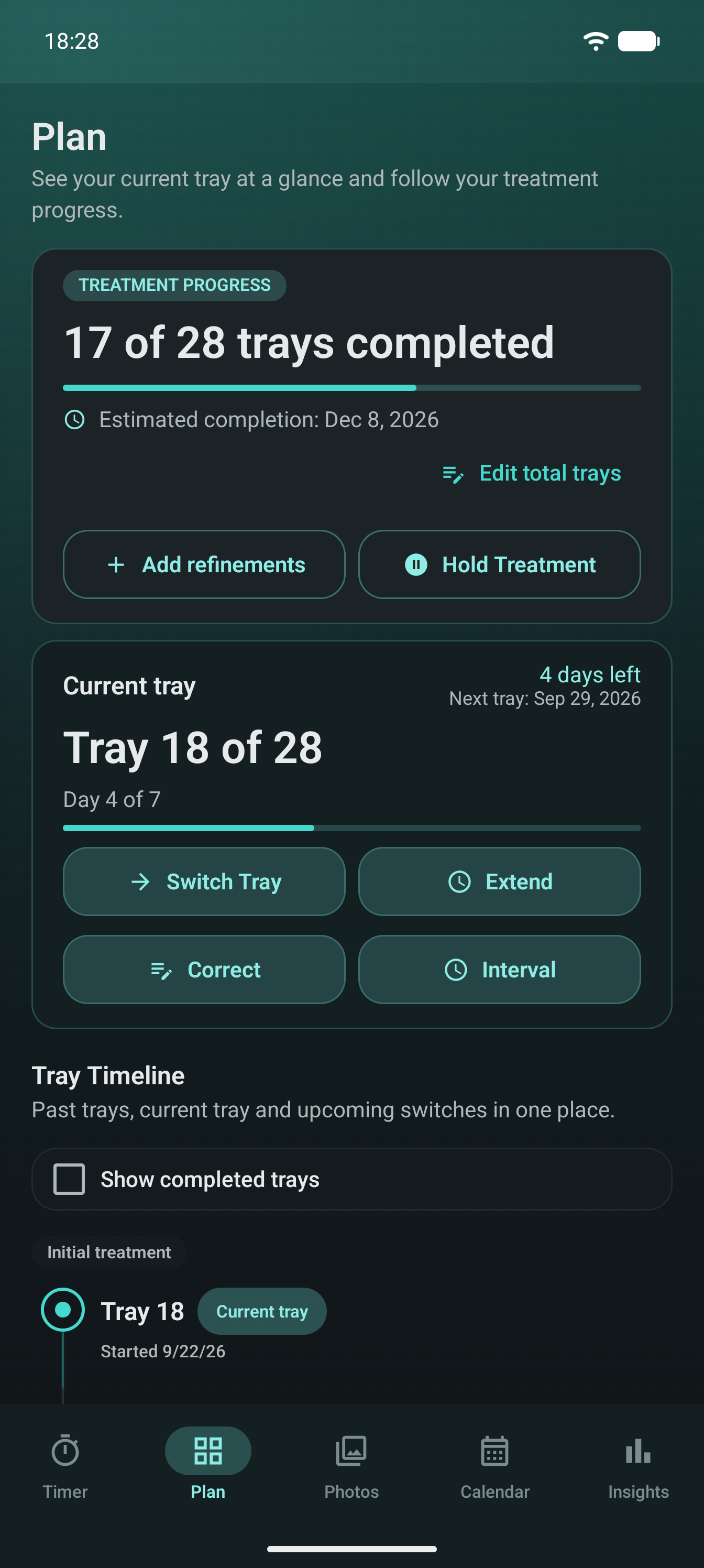
Start with the schedule from your dentist or orthodontist. Record the current Invisalign® or clear aligner tray, the date it started and the expected date for the next change. If your instructions change, update the record to match them.
Keep tray changes beside reminders
A tray date buried in a note app is easy to miss. Pairing tray records with reminders means the next change is visible when you need it.
Add notes when the plan changes
If you are told to extend a tray, adjust a date or start a refinement set, add a short note. Future you will not remember why the timeline moved unless the reason is written down.
Review previous trays when you need context
Previous tray history can be useful when you want to understand dates, reminders, photos or wear patterns. It is not a treatment assessment, but it does make your own records easier to follow.
Use AlignerPro for the whole tray routine
AlignerPro keeps tray tracking alongside wear-time records, reminders, progress photos, appointments, notes and optional local or Google Drive backups. It records the plan you have been given. It does not advise you when to change trays.