
Use consistent angles
Label front, side, upper and lower views so you can compare like with like.
Progress photo tracker
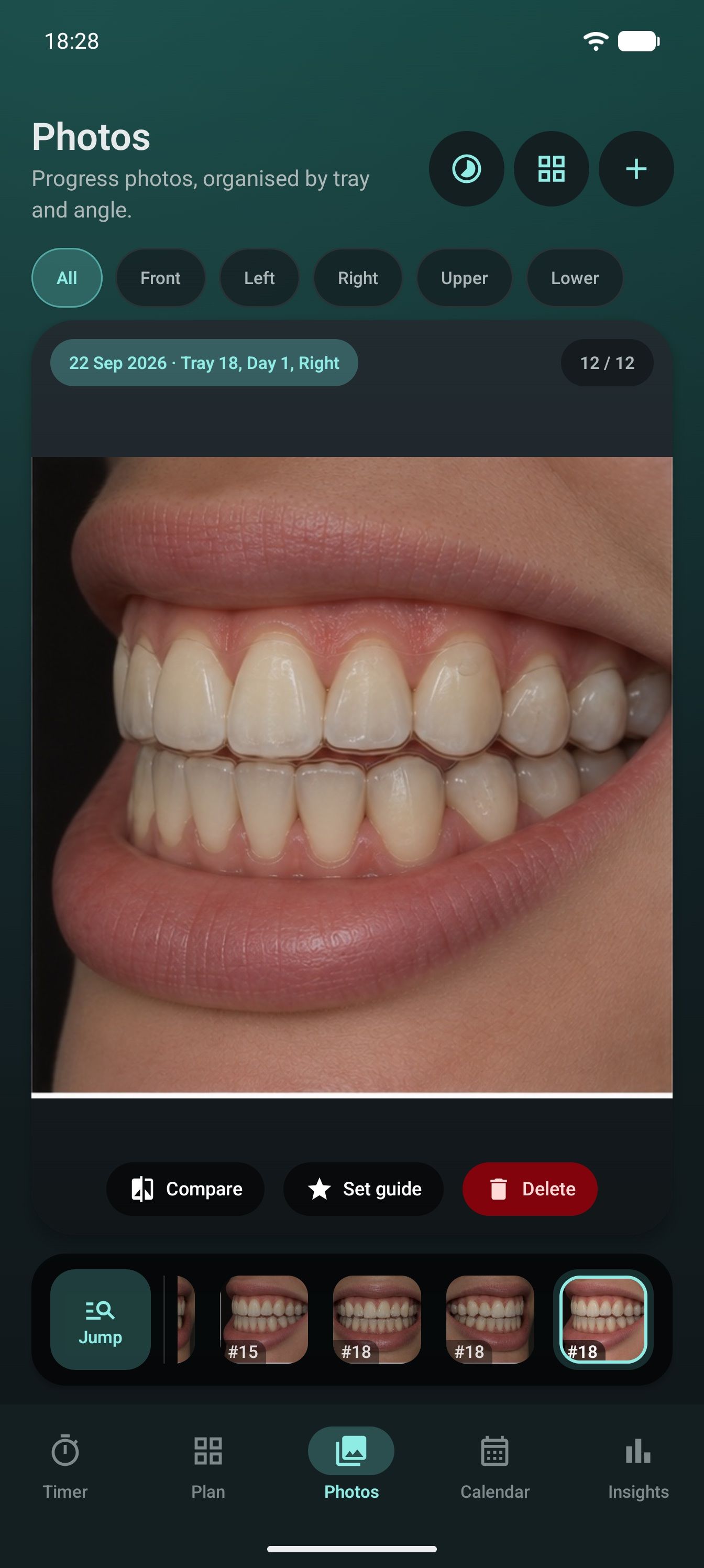
Take or import progress photos, label them by tray and angle, then compare the same view over time without searching through your camera roll.


A useful record, not another gallery
The tray number, date and angle stay with each image, so comparisons are easier to repeat and make sense of later.
Label front, side, upper and lower views so you can compare like with like.
Keep images beside the tray and date they belong to, not buried in one long camera roll.
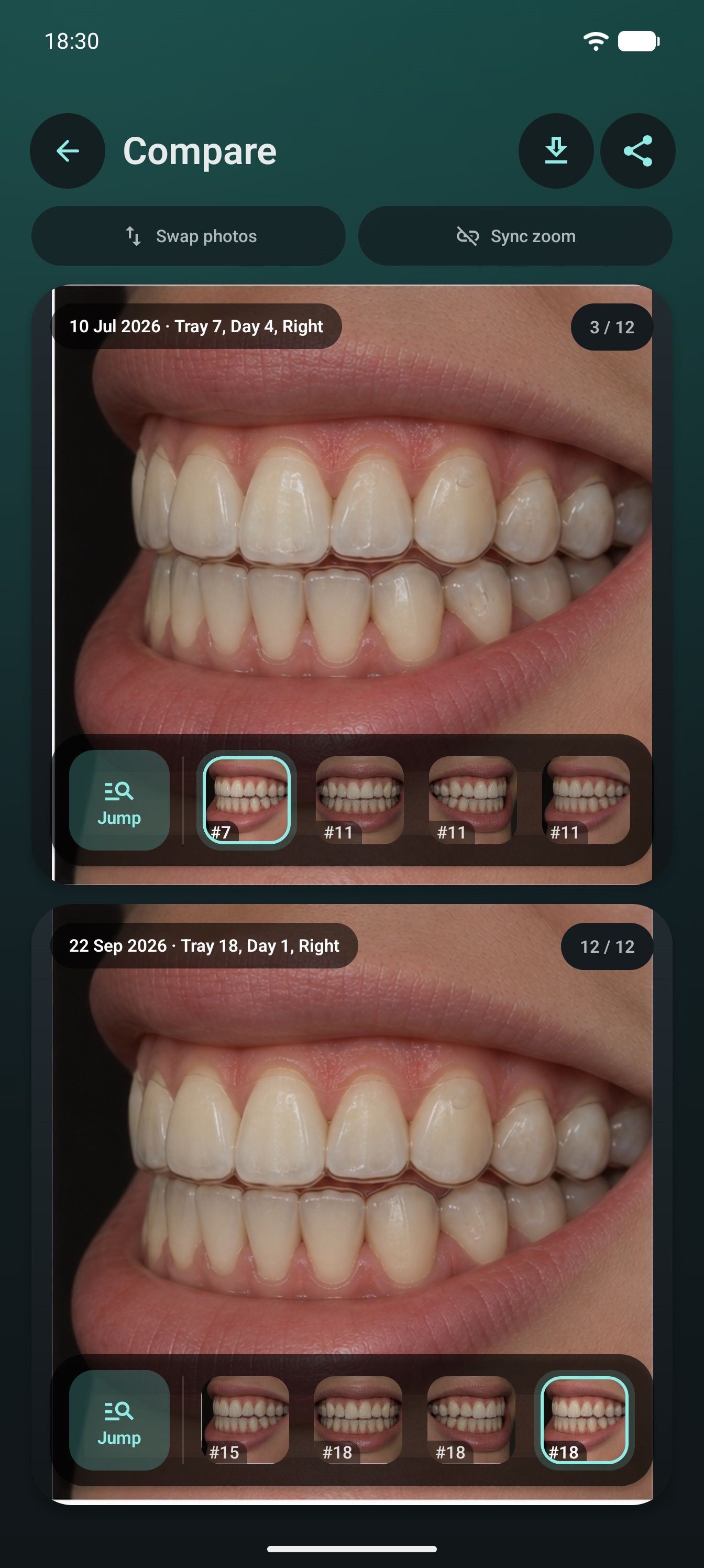
Put matching views side by side when you want a clearer look at progress.
Part of the same routine
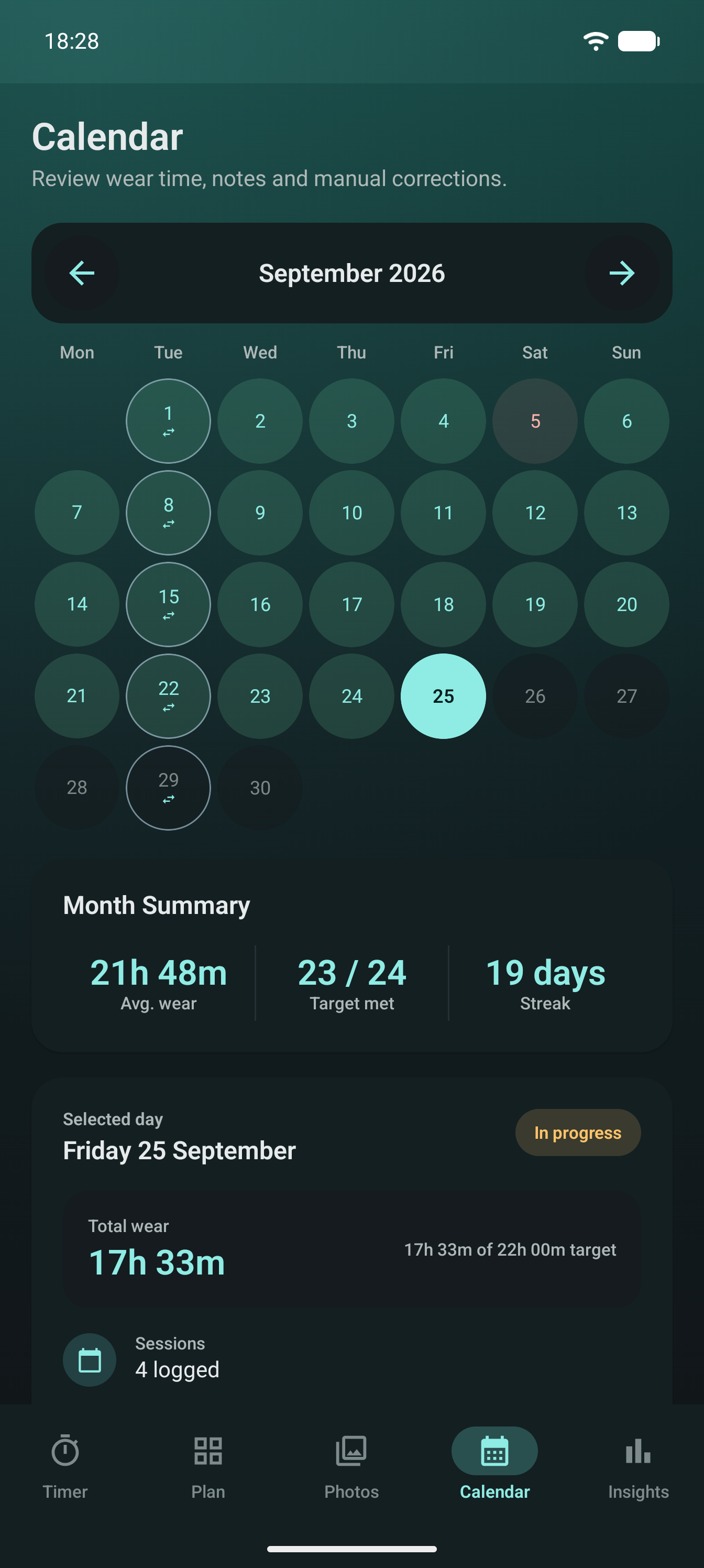
AlignerPro keeps progress photos close to wear records, tray dates, notes and appointments. You can move from a photo to the surrounding treatment history without rebuilding the timeline yourself.
Progress photos
Download AlignerPro for Android or iOS and start a photo record with your current tray.

Scan to download
Opens the right store on iPhone or Android.